Your coding agent, turned into a QA tester for any web app.
SceneScout explores your running app the way a careful tester would: it clicks, fills forms, switches roles and calls the API behind a hidden button. Then it tells you what is broken and what could be better, with a picture and the evidence for every line.
npx -y scenescout http://localhost:3000
scenescout-report/ in the current folder.
-
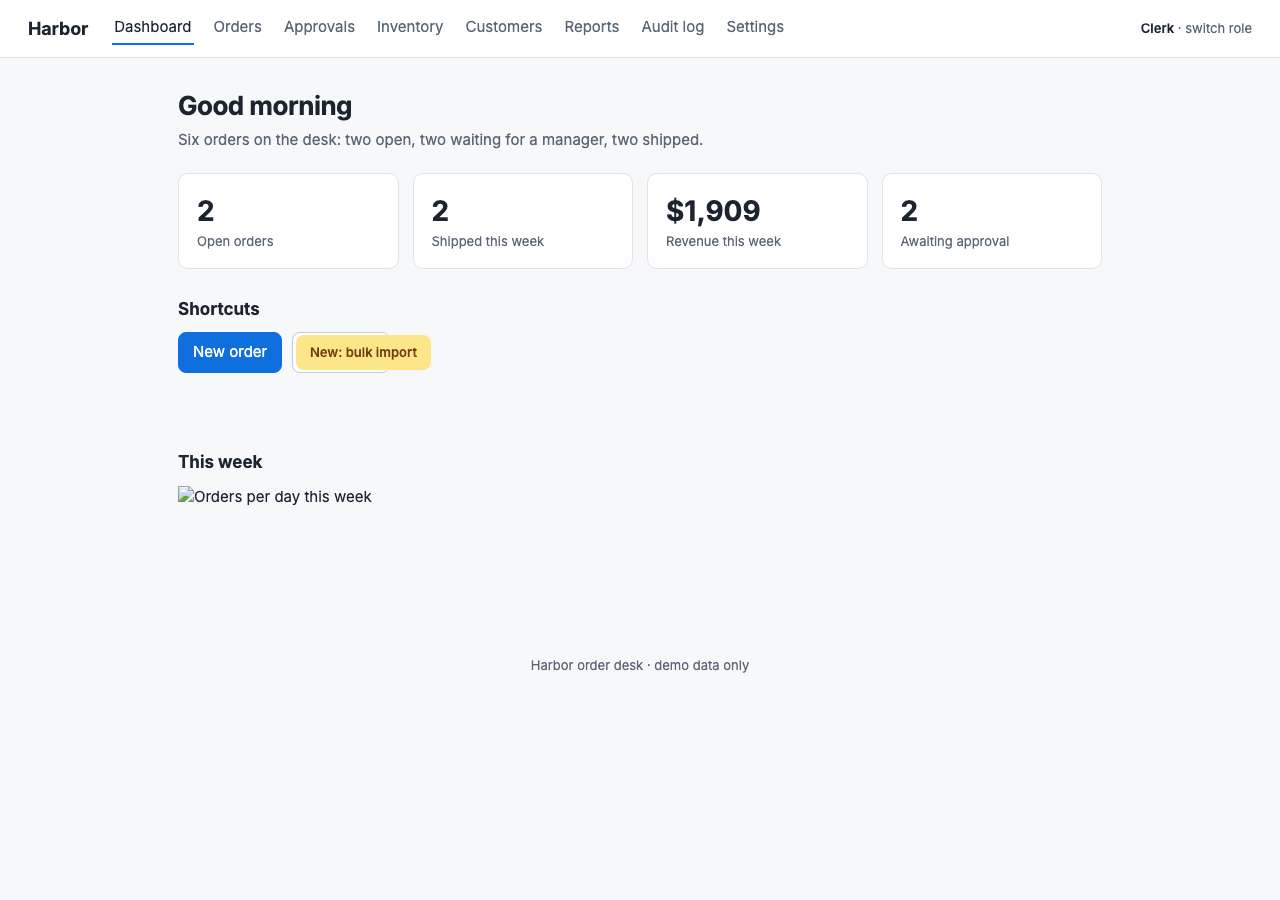
A "New" badge sits on top of the All orders button, so a click lands on the badge.
"All orders" overlaps "New: bulk import" (81%) -
The weekly chart never loads.
GET /img/weekly-chart.png → HTTP 404
- Claude Code
- Cursor
- VS Code (Copilot)
- Codex CLI
- Gemini CLI
- Copilot CLI
- Windsurf
- any MCP client
It finds what a person would notice, and what they wouldn't.
As it explores, it checks for these, and files each one with the steps to repeat it.
Broken layout
Buttons hidden under a sticky bar, controls that overlap, text pushed off screen. Measured from the page itself, so nothing is guessed from a picture.
Things that break
Errors, crashes, failed requests, broken images and pages with no way out.
Permission leaks
It calls the app's own API as each role, so "the button is hidden" becomes "the server refuses it", or doesn't.
Pages that lie
"Saved!" after the server refused the save, or an empty table after the request behind it failed.
Impatient users
A double-click that sends the same order twice, the bug real people find first.
Hard to read, hard to use
Low contrast, missing labels, tiny targets, no visible focus, and how many steps a task really takes.
POST /api/orders/1037/approve 200 as clerk
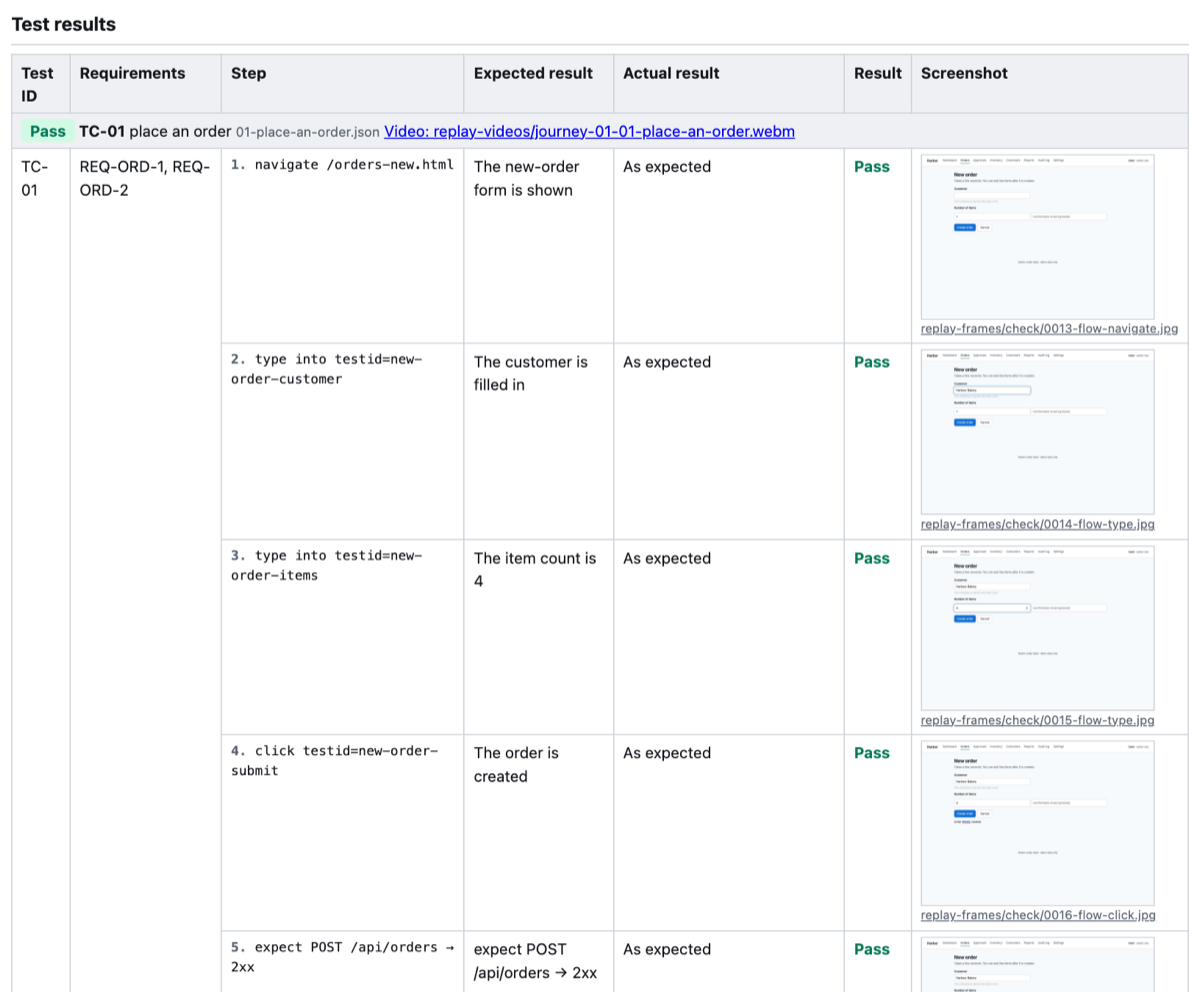
GET /api/orders?status=archived → HTTP 500
2× click fired the same state-changing request 2× (POST /api/orders)
Three findings from a run against the demo app in the repository, which has bugs planted on purpose. Read the whole report.
One run, read two ways.
The same report opens in plain words for the people who need to know what is wrong, with the detail one click away for the people who will fix it.
For QA, product and anyone who doesn't open a terminal
Every problem is written as what was done, what was expected and what happened, with a picture of the page.
- Visible problems shown, not described: the covered button, the broken image, the text too faint to read.
- Saved journeys recorded step by step, as pictures and video, so a pass is something you can watch.
- A test report laid out by your own template, with expected and actual results and sign-off rows.
- Findings filed straight into GitHub or Jira, each one once.
For developers
Every finding carries the request that failed, the steps that led to it, and a test to keep it fixed.
- Runs from the agent already in your editor: Claude Code, Cursor, VS Code, Codex, Gemini CLI and more.
- Next to the source, it names the file behind the bug and a likely fix.
- A Playwright regression-test skeleton for every finding.
- A deterministic gate for pull requests, with code-scanning results.
QA you can hand to someone, with the proof attached.
Save the journeys that matter, the happy paths and the ones that must fail politely. Every pull request replays them, with no AI involved, and keeps the evidence.
-
Save a journey
A few lines describing a task: open the form, fill it in, expect the order to be created.
-
Replay it on every change
The check runs it in a real browser and fails the pull request when a step breaks.
-
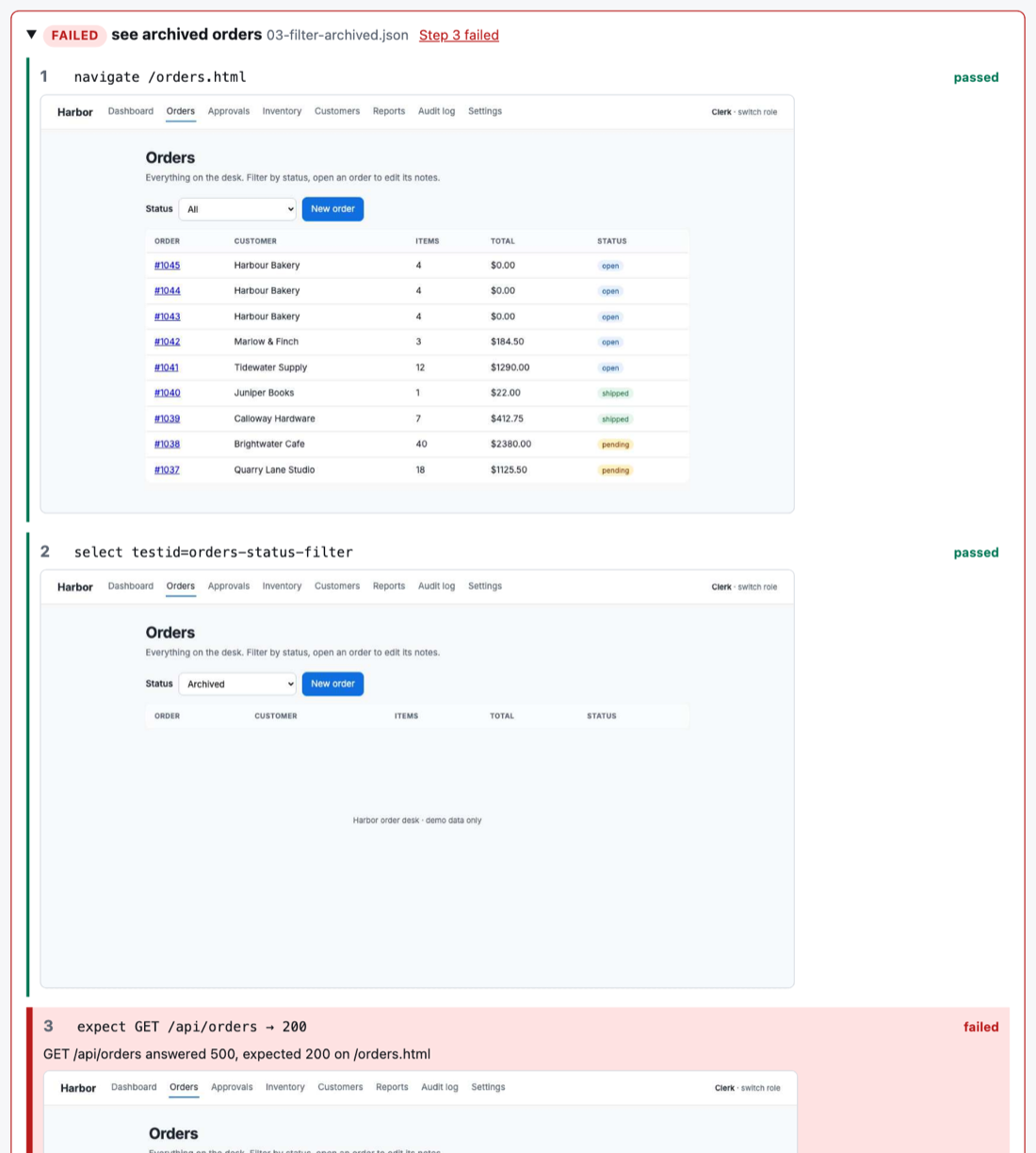
Keep the evidence
A picture after every step, a video of each journey, and a test report anyone can read.
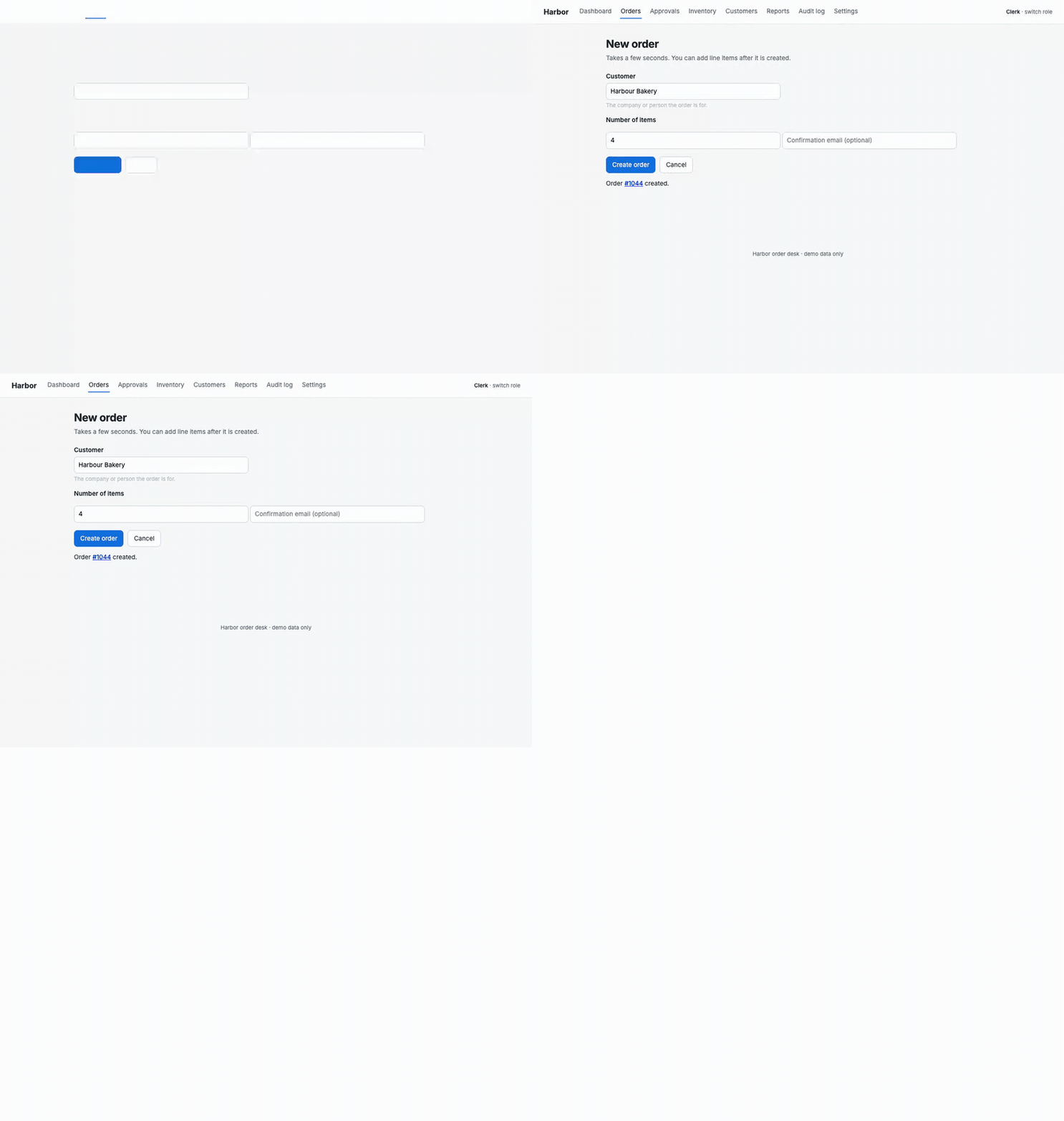
{
  "name": "place an order",
  "steps": [
    { "action": "navigate", "target": "/orders-new.html" },
    { "action": "type", "target": "testid=new-order-customer",
      "value": "Harbour Bakery" },
    { "action": "click", "target": "testid=new-order-submit" },
    { "action": "expect-request",
      "request": "POST /api/orders", "status": "2xx" }
  ]
}
Ask for it on any pull request.
Type a command in a comment and SceneScout answers in the thread, with pictures taken by a real browser.
/scenescout qaExplores the pull request's preview and replies with what it found./scenescout qa show the Save buttonReplies with a picture of that element.-
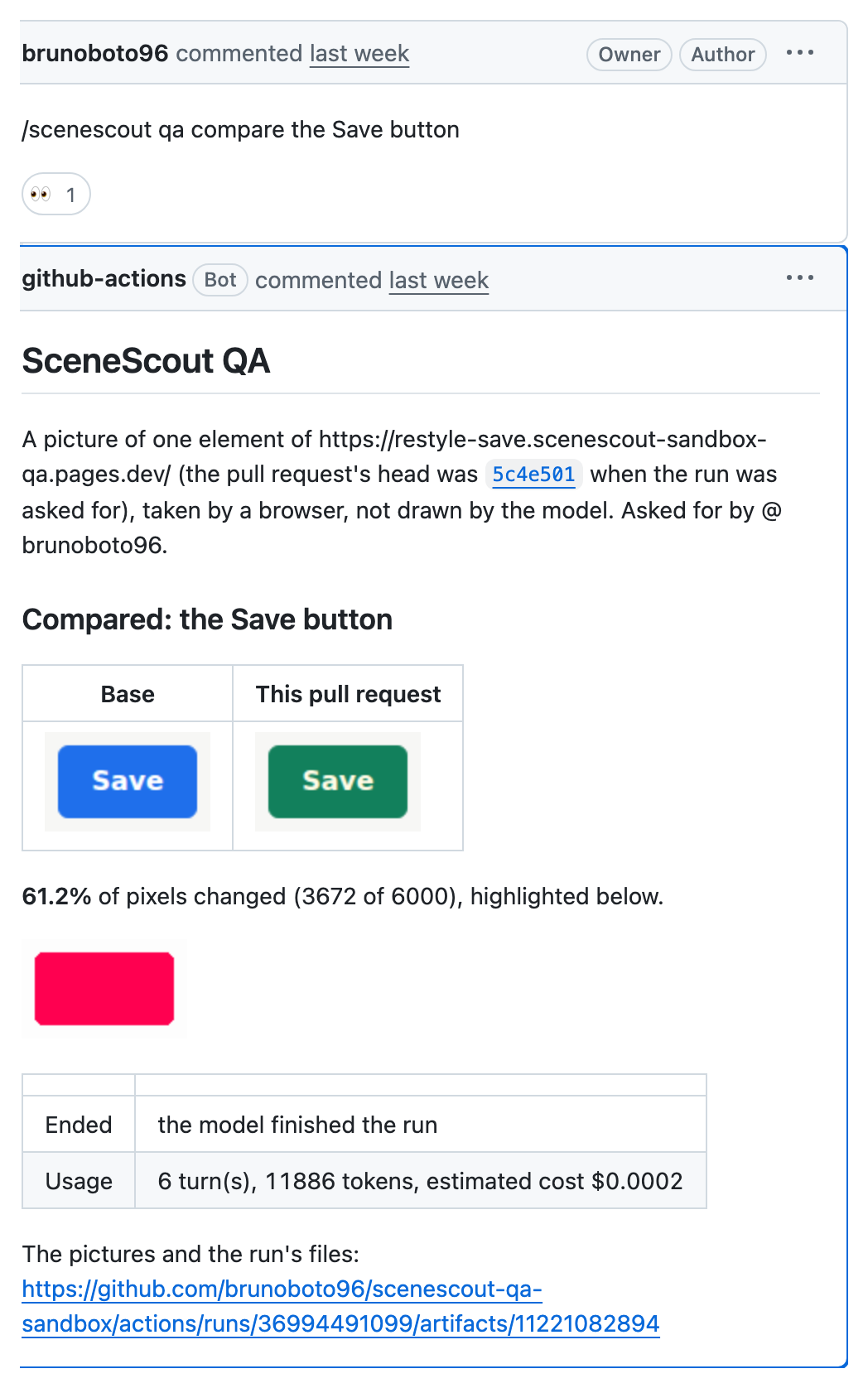
/scenescout qa compare the Save buttonPictures it on the base and on the pull request, with the changed pixels highlighted. -
/scenescout qa checkRuns your saved journeys on the branch and replies with each one's result. The video of every journey is in the run's files.
The preview commands test a deployed preview, so the pull request's code never runs beside the model's key. qa check runs your own
workflow on the branch and uses no key at all.
Set it up.
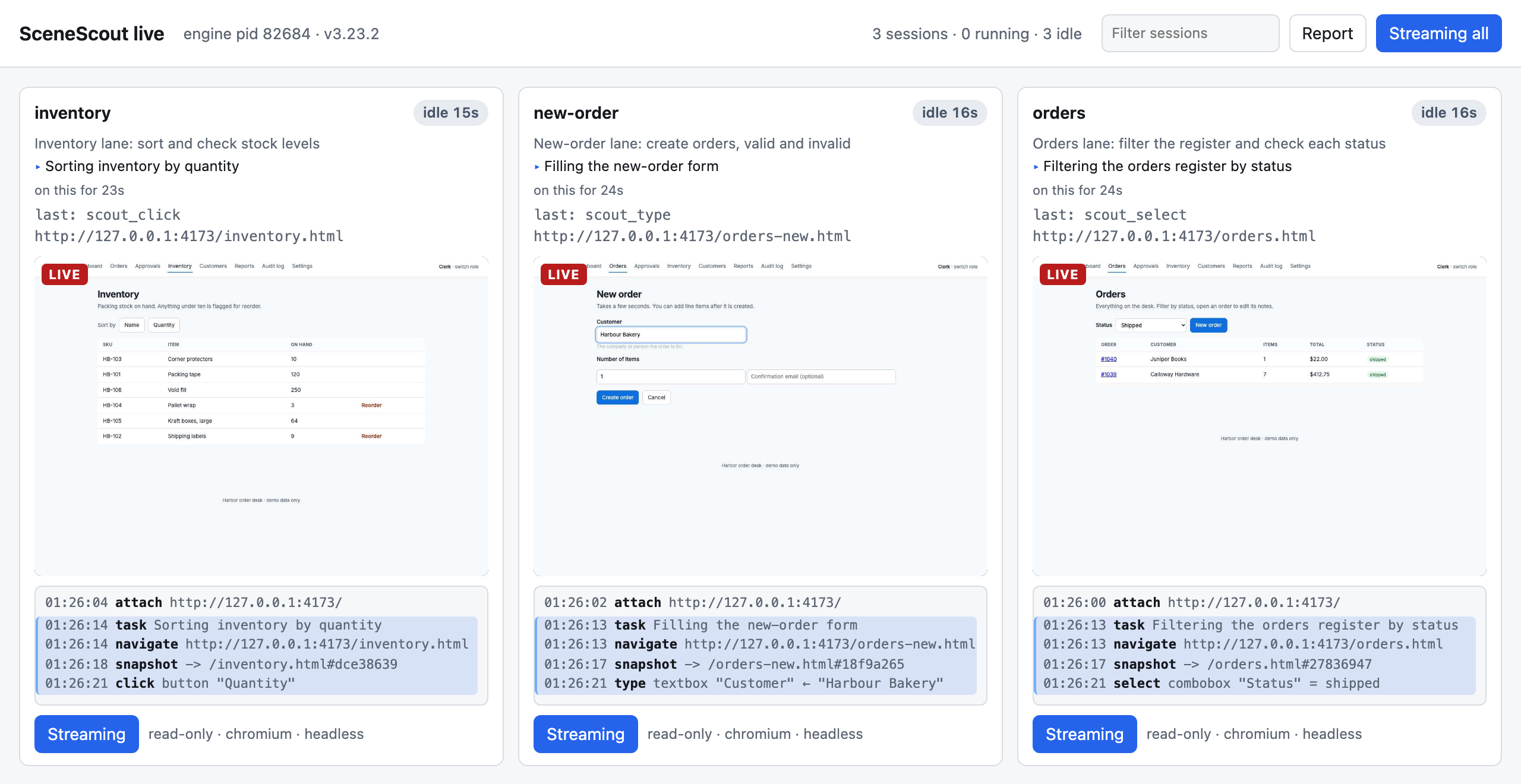
Watch it work, or read along later.
Each run opens a live view on your machine: one card per agent, the page it is on, and every action it took.
You can read the report while it is still being written, scrub back through any step, and keep the whole run as one page that opens offline.
Start in three steps.
You need Node 20 or newer and an app you are allowed to test.
-
Install it for your agent
One command sets up the server, the testing method and the test browser.
npx -y scenescout install                    # Claude Code
npx -y scenescout install --client cursor    # or vscode, codex, gemini, copilot, windsurf
Prefer an app? The Claude Desktop extension installs with a double-click from the latest release.
-
Start your app, then ask
In a new chat with your agent:
Use SceneScout to test http://localhost:3000Not sure what to say? In Claude Code, type
/scenescoutand it asks four plain questions instead. -
Read the report
It lands in
.scenescout/report.md, opening with each problem in plain words. Add a check to your pull requests when you want it on every change.
Safe by default, enforced where it counts.
The rule sits on the network, not in an instruction to the AI. A blocked request never reaches your server.
observe
Page loads and signing in. Forms that post are refused.
Default for a first look, and for an agent on a remote siteread-only
Forms can be sent, and can create a record or change one. Deletes and edits by PUT or PATCH are refused.
Default for the check, and for an agent on a local appsafe-write
Creates records. PUT, PATCH and DELETE only on the ones it created.
destructive
Everything. Only when you say the data is disposable.
Only HTTP is checked: messages over a WebSocket are not, and a link that acts when opened, such as an unsubscribe link, is followed. Only test sites you own or are allowed to test. How the safety model works.
Measured, not promised.
Every change to how it explores is scored against an app with bugs planted on purpose, and checked on a second app it is never tuned on.
- planted bugs each run is scored on
- 13
- found by the latest run
- 12
- runs scored against the same key
- 13
Read the benchmark log, including the changes that didn't help.
Each bar is one run of eight agents, scored against today's answer key. One run is noisy: read the trend, not a single bar.